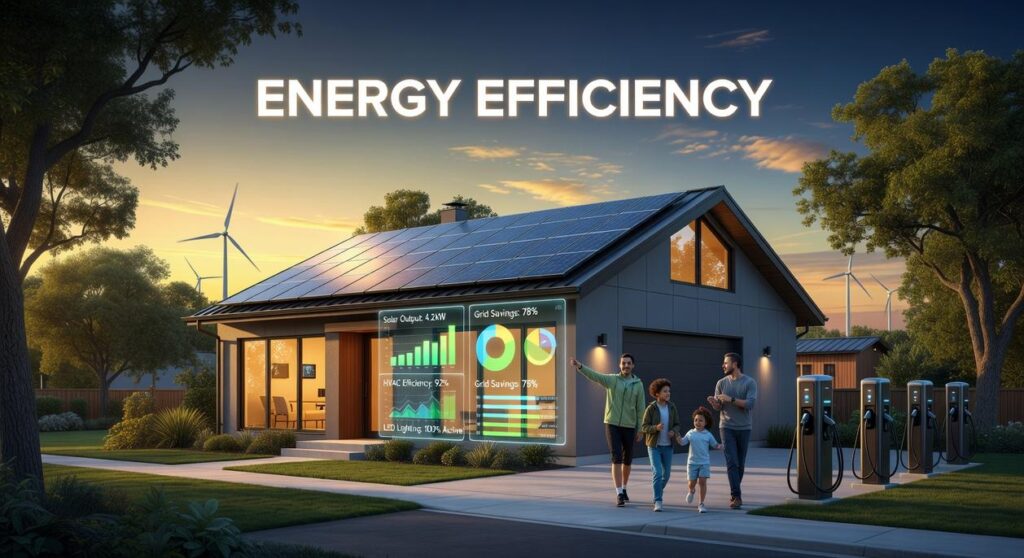
Sky-high energy bills are draining household budgets, often fueled by inefficient appliances, standby power draw, and lights left on longer than needed. The good news? Today’s energy efficient smart home devices are built to automate savings without sacrificing comfort. This guide cuts through the hype to show you which technologies actually reduce consumption, how their core systems and secure protocols ensure reliable performance, and the practical steps to maximize your return on investment. By the end, you’ll have a clear, actionable plan to select and install the most effective smart solutions to start lowering your energy costs immediately.
Beyond the Hype: How Smart Devices Actually Cut Your Energy Use
Let’s start with the obvious: most energy waste isn’t dramatic—it’s forgetfulness. Intelligent automation (systems that perform tasks without manual input) fixes that. Lights switch off when rooms are empty. Thermostats dial back when you leave. Electronics power down instead of idling all night. In my opinion, this is where energy efficient smart home devices prove their worth—not in flashy app dashboards, but in quietly correcting human error.
Then there’s adaptive learning algorithms. That’s just a fancy term for software that studies your patterns and adjusts automatically. For example, smart thermostats like Google Nest have been shown to save 10–12% on heating and 15% on cooling, on average (Nest, Energy Impact Report). Some argue manual programming does the same thing. Technically, yes. Realistically? Most people never update schedules after the first week (be honest).
Meanwhile, real-time energy monitoring exposes “vampire power”—electricity devices draw on standby. The U.S. Department of Energy estimates standby power can account for up to 10% of household energy use. Seeing that data changes behavior fast.
Finally, secure, interoperable protocols like Matter and Zigbee ensure devices communicate reliably. Without stable communication, automation fails—and savings disappear. Pro tip: prioritize compatibility before buying new gear.
Your Energy-Saving Toolkit: Top 5 Smart Device Categories
Most roundups stop at “buy a smart thermostat” and call it a day. But building a serious savings strategy with energy efficient smart home devices means understanding how each category attacks waste differently—and where the hidden advantages really are.
1. Smart Thermostats
Heating and cooling account for nearly 50% of home energy use (U.S. Energy Information Administration). That’s why this is your heavy hitter.
Modern models use geofencing (location-based triggers using your phone) to switch to eco-mode when you leave. They also learn patterns over time and generate HVAC usage reports—data most homeowners never see but absolutely should.
Competitors talk about comfort. What they miss? Load balancing. Some thermostats integrate with utility demand-response programs, slightly adjusting temperatures during grid strain to earn rebates. (Yes, your house can quietly negotiate with the power company.)
2. Smart Lighting (Bulbs & Switches)
LED bulbs already use up to 75% less energy than incandescent lighting (U.S. Department of Energy). Add smart controls and you multiply that impact.
- Schedule lights to turn off automatically
- Use motion sensors in garages and hallways
- Create dimmed “scenes” to reduce wattage draw
Dimming isn’t just ambiance—it reduces power consumption proportionally. Pro tip: Automate outdoor lighting seasonally to account for changing sunset times.
3. Smart Plugs & Power Strips
The easiest entry point. These target phantom loads—electricity devices consume while “off.” Entertainment systems and home offices are prime offenders.
Cluster devices (TV, console, speakers) onto one smart strip and enforce a shutdown schedule. Some advanced models track real-time energy draw, revealing which devices are the true culprits. (Spoiler: it’s usually the cable box.)
4. Smart Window Coverings
This is where passive design meets automation. By closing blinds during peak summer heat and opening them for winter sunlight, you reduce HVAC strain before it even starts.
Few guides mention solar heat gain coefficients or directional window exposure—but pairing automation with your home’s orientation maximizes results.
5. Smart Appliances & Water Heaters
A growing category with serious upside. Schedule dishwashers and EV chargers during off-peak hours when electricity rates drop. Smart water heaters learn usage patterns, avoiding unnecessary reheating.
If you’re exploring broader hardware ecosystems, see advancements in ar glasses and immersive hardware.
The real advantage isn’t owning one device. It’s orchestrating them into a system that cuts waste from every angle.
From Box to Savings: A Quick-Start Setup Guide
Unboxing is the easy part. The real magic happens when your devices start talking to each other (and not just blinking randomly on your kitchen counter).
Choosing Your Ecosystem
You’ll face one big choice early: hub-based system or direct Wi-Fi devices.
A hub is a central controller—like SmartThings or Hubitat—that connects devices using protocols such as Zigbee or Z-Wave (wireless standards designed for low-power communication). Hubs shine when you want complex automations across brands.
Direct Wi-Fi devices connect straight to your router. They’re simpler to set up but can clog your network if you add too many.
Some argue hubs are overkill for small apartments. Fair. But if you plan to expand beyond a few energy efficient smart home devices, a hub prevents future headaches. (Think of it as buying a power strip before you run out of outlets.)
Creating Your First “Routine”
Start with a “Goodnight” routine:
- Open your app and select “Create Routine.”
- Add trigger: voice command “Goodnight” or 11:00 PM schedule.
- Actions:
- Turn off all lights.
- Lower thermostat by 3–5 degrees.
- Shut off smart plugs powering TVs or gaming consoles.
- Save and test.
Pro tip: Run the routine once while you’re home to confirm every device responds.
Interpreting the Data
In the companion app, review energy reports weekly. Look for:
- Devices with consistently high daily kWh usage.
- Standby loads (electronics drawing power while “off”).
Your biggest energy hog is often HVAC or entertainment systems.
Troubleshooting Common Glitches
If a device drops offline:
- Check Wi-Fi range.
- Reboot router and device.
- Confirm protocol compatibility.
What’s next? Consider setting seasonal automations or integrating occupancy sensors to fine-tune savings further.
As the demand for sustainable living grows, innovative devices are emerging that highlight this shift, making it the perfect time to dive into the latest trends in green tech featured on Technology News Etrstech.
Building a Smarter, More Efficient Home Today
You set out to turn your home from a passive energy drain into an intelligent system that works for you—and now you know exactly how to do it. By focusing on the core technologies, high-impact upgrades, and practical setup strategies we covered, you can start seeing real savings and smarter performance fast.
Don’t let high energy bills or wasted power keep costing you. Start with one upgrade that tackles your biggest frustration—whether it’s HVAC inefficiency or standby power loss—and build momentum from there.
The right energy efficient smart home devices give you control, lower monthly costs, and reduce your environmental footprint. Take the first step today—choose one device, install it, and begin transforming your home into a system that saves you money every single month.

 Ask Bradford Folandevada how they got into emerging device breakthroughs and you'll probably get a longer answer than you expected. The short version: Bradford started doing it, got genuinely hooked, and at some point realized they had accumulated enough hard-won knowledge that it would be a waste not to share it. So they started writing.
What makes Bradford worth reading is that they skips the obvious stuff. Nobody needs another surface-level take on Emerging Device Breakthroughs, Insider Knowledge, Secure Protocol Development. What readers actually want is the nuance — the part that only becomes clear after you've made a few mistakes and figured out why. That's the territory Bradford operates in. The writing is direct, occasionally blunt, and always built around what's actually true rather than what sounds good in an article. They has little patience for filler, which means they's pieces tend to be denser with real information than the average post on the same subject.
Bradford doesn't write to impress anyone. They writes because they has things to say that they genuinely thinks people should hear. That motivation — basic as it sounds — produces something noticeably different from content written for clicks or word count. Readers pick up on it. The comments on Bradford's work tend to reflect that.
Ask Bradford Folandevada how they got into emerging device breakthroughs and you'll probably get a longer answer than you expected. The short version: Bradford started doing it, got genuinely hooked, and at some point realized they had accumulated enough hard-won knowledge that it would be a waste not to share it. So they started writing.
What makes Bradford worth reading is that they skips the obvious stuff. Nobody needs another surface-level take on Emerging Device Breakthroughs, Insider Knowledge, Secure Protocol Development. What readers actually want is the nuance — the part that only becomes clear after you've made a few mistakes and figured out why. That's the territory Bradford operates in. The writing is direct, occasionally blunt, and always built around what's actually true rather than what sounds good in an article. They has little patience for filler, which means they's pieces tend to be denser with real information than the average post on the same subject.
Bradford doesn't write to impress anyone. They writes because they has things to say that they genuinely thinks people should hear. That motivation — basic as it sounds — produces something noticeably different from content written for clicks or word count. Readers pick up on it. The comments on Bradford's work tend to reflect that.