
Turning a breakthrough idea into a working device is rarely straightforward. If you’re searching for clarity on the hardware prototyping process, you likely want more than a surface-level overview—you want to understand how concepts evolve into functional, testable, and scalable products without costly missteps.
This article is designed to guide you through each critical stage of the hardware prototyping process, from early concept validation and component selection to iterative testing and refinement. We’ll highlight common technical pitfalls, explore emerging device considerations, and outline practical strategies to accelerate development while maintaining security and performance standards.
Our insights are grounded in hands-on analysis of real-world device builds, secure protocol integration challenges, and troubleshooting scenarios across modern hardware environments. By the end, you’ll have a clear, actionable understanding of how to move from idea to reliable prototype with confidence and precision.
From Idea to Tangible Tech: A Blueprint for Your First Hardware Prototype
Every device begins as a spark—an idea that buzzes in your mind before it ever hums on a workbench. The hardware prototyping process turns that spark into something you can hold, hear, and test.
- Ideation: Sketch until the concept feels real, crisp pencil scratching against paper.
- Design: Model components, watching digital parts click together on-screen.
- Assembly: Solder, snap, and screw pieces into place—the faint scent of heated flux lingering.
- Testing: Power it on. Listen for whirs, feel for heat, observe every flicker.
Structure transforms inspiration into proof-of-concept.
Phase 1 is about turning a big idea into something testable. Start by defining the core function—the single most important problem your device solves. A core function is the primary job of your product, not a list of nice-to-haves. For example, if you’re building a smart pill bottle, the core function might be medication reminders, not full health analytics.
Next, outline the Minimum Viable Product (MVP). An MVP is the simplest version of your device that proves the solution works. Focus only on features required to demonstrate value:
- Reliable core functionality
- Basic user interaction
- Safe power management
Then conduct a technical feasibility study. This means researching microcontrollers (tiny computers on a chip), sensors (components that detect changes like motion or temperature), and power systems (batteries and regulation circuits). Identify roadblocks early—limited battery life, signal interference, or unavailable parts—so you avoid expensive redesigns later.
Create a ‘looks-like’ mockup using cardboard or 3D printing to test size and ergonomics before electronics enter the hardware prototyping process. Finally, draft a preliminary Bill of Materials (BOM), a detailed parts list that estimates cost and sourcing complexity. This groundwork reduces uncertainty and guides smarter design decisions during critical early development stages.
Phase 2: Engineering the Electronic and Mechanical Blueprint
This is where ideas stop being sketches and start becoming schematics. In the hardware prototyping process, Phase 2 is about translating intent into engineering reality.
Electronic Schematic Design
Using EDA (Electronic Design Automation) tools like KiCad or Eagle, you create the schematic—the logical map of how components connect. Think of it as the architectural blueprint before concrete is poured. Resistors, capacitors, voltage regulators, and microcontrollers are symbolically linked to define signal flow and power domains.
In professional labs from Austin to Shenzhen, engineers follow IPC-2221 standards for spacing and creepage (the shortest path between conductive parts). Ignore these, and you risk arcing or EMI failures during compliance testing (which is never a fun surprise).
PCB Layout
Next, the schematic becomes a physical PCB layout. Component placement affects thermal performance and signal integrity. Keep high-speed traces short, isolate analog and digital grounds, and decouple power pins properly to reduce noise. Power integrity—maintaining stable voltage across the board—is critical for preventing intermittent resets.
Some argue modern auto-routing tools make layout trivial. Not quite. Automated routing helps, but manual tuning is still essential for RF modules, USB differentials, or impedance-controlled traces.
Mechanical Design (CAD)
In Fusion 360 or SolidWorks, model the enclosure with tolerance stacks in mind. Ensure mounting bosses align with PCB holes and connectors sit flush with panel cutouts. A 0.5 mm miscalculation can derail injection molding.
Integrate Security from the Start
Select microcontrollers with hardware secure elements and encrypted bootloaders. Planning secure firmware updates early aligns with industry frameworks like how standards bodies shape the future of global technology. Retrofitting encryption later is costly—and sometimes impossible.
Phase 3: Sourcing, Fabrication, and Assembly
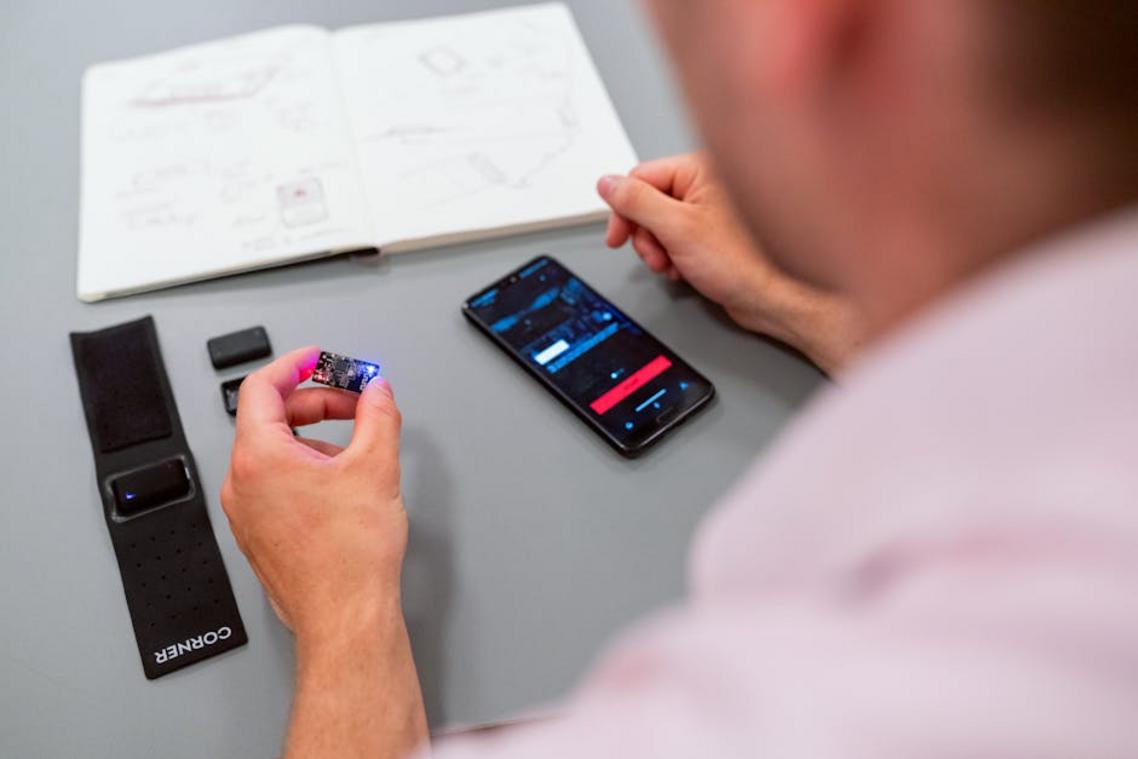
Now the project starts to feel real.
First, component sourcing. Order every resistor, microcontroller, and connector from reputable distributors. A resistor may look insignificant—just a tiny cylinder with colored bands—but the wrong value can quietly sabotage your build. Double-check part numbers, footprints (the physical pad layout on a PCB), and package sizes against your Bill of Materials (BOM) and PCB layout. It’s far easier to verify now than to desolder later (and smell that unmistakable burnt-flux regret).
Next comes fabrication. Send your Gerber files—standard manufacturing blueprints for PCBs—to a prototyping service. When the boards arrive, they’ll feel smooth and slightly cool, with crisp white silkscreen labels. At the same time, 3D print your enclosure. You’ll hear the steady whir of stepper motors as layers fuse into shape, the faint warm-plastic scent lingering in the air.
Then, the hands-on assembly begins. Start with the smallest surface-mount components; they’re delicate and demand steady hands. The solder should flow like quicksilver, forming shiny fillets. Finally, mount the board into its enclosure.
And then—initial firmware development. This code initializes hardware and tests core functions, transforming inert circuits into a responsive system. It’s the pivotal moment in the hardware prototyping process when silence turns into blinking LEDs and soft relay clicks.
Phase 4: The Crucial Loop of Testing, Troubleshooting, and Refining
This is the moment of truth in the hardware prototyping process—when theory meets electricity.
The “Smoke Test” (Yes, That’s Literal)
A smoke test means powering your device for the first time while watching for shorts, sparks, or overheating. Use a current-limited power supply (a power source that caps electrical flow to prevent damage). If something’s wrong, it limits the blast radius. Think of it as a circuit breaker for your ambition.
Functional Verification
Now confirm each feature in your MVP (Minimum Viable Product, the simplest working version):
- Does the sensor output valid readings?
- Does the motor actuate on command?
- Are signals stable and repeatable?
Document everything. Successes show what to keep. Failures show what to fix.
Troubleshooting Basics
A multimeter—used to measure voltage, current, and resistance—is your best ally. Check:
- Cold or cracked solder joints
- Reversed components
- Power rail inconsistencies
- Firmware logic errors
Plan for Iteration
Your first build won’t be perfect (no one’s is). Log findings, refine schematics, and improve the next revision.
Your prototype works. That alone puts you ahead of most dreamers.
Now, the opportunity begins. You’ve already proven technical feasibility—meaning the core idea functions in the real world. As a result, your risk drops and your leverage rises. Instead of guessing, you can validate.
Through structured user testing, design for manufacturing, and iterative refinement, you transform insight into traction. The hardware prototyping process gave you proof; now it gives you power.
For example, feedback can reveal usability flaws before production—saving thousands in tooling costs (which, trust me, add up fast).
Ultimately, you can pitch investors confidently or scale toward launch.
As innovators navigate the intricate journey from concept to device within hardware prototyping labs, leveraging tools like the Doxfore5 Python Code can significantly streamline their development process.
Turning Innovation Into Action
You set out to better understand innovation alerts, core technologies, emerging device breakthroughs, secure protocols, and how to troubleshoot them effectively. Now you have a clearer path forward—and a stronger grasp of how these elements connect to real-world performance and security.
The real challenge isn’t access to information. It’s keeping up with rapid change, avoiding costly missteps, and confidently moving from concept to execution—especially when navigating the hardware prototyping process or implementing secure protocol development.
The opportunity is in what you do next.
Start applying these insights to your current projects. Audit your systems for weak points. Refine your development workflows. Stay proactive instead of reactive when new innovation alerts surface.
If staying ahead of emerging tech feels overwhelming, that’s exactly why thousands of forward-thinking builders rely on trusted, research-driven insights to guide their decisions. Get the updates, practical breakdowns, and step-by-step troubleshooting guidance you need—so you can innovate faster, build smarter, and deploy with confidence.
Don’t wait for problems to surface. Take control of your next breakthrough today.

 Ask Zelviera Durnhanna how they got into device troubleshooting guides and you'll probably get a longer answer than you expected. The short version: Zelviera started doing it, got genuinely hooked, and at some point realized they had accumulated enough hard-won knowledge that it would be a waste not to share it. So they started writing.
What makes Zelviera worth reading is that they skips the obvious stuff. Nobody needs another surface-level take on Device Troubleshooting Guides, Core Tech Concepts and Basics, Emerging Device Breakthroughs. What readers actually want is the nuance — the part that only becomes clear after you've made a few mistakes and figured out why. That's the territory Zelviera operates in. The writing is direct, occasionally blunt, and always built around what's actually true rather than what sounds good in an article. They has little patience for filler, which means they's pieces tend to be denser with real information than the average post on the same subject.
Zelviera doesn't write to impress anyone. They writes because they has things to say that they genuinely thinks people should hear. That motivation — basic as it sounds — produces something noticeably different from content written for clicks or word count. Readers pick up on it. The comments on Zelviera's work tend to reflect that.
Ask Zelviera Durnhanna how they got into device troubleshooting guides and you'll probably get a longer answer than you expected. The short version: Zelviera started doing it, got genuinely hooked, and at some point realized they had accumulated enough hard-won knowledge that it would be a waste not to share it. So they started writing.
What makes Zelviera worth reading is that they skips the obvious stuff. Nobody needs another surface-level take on Device Troubleshooting Guides, Core Tech Concepts and Basics, Emerging Device Breakthroughs. What readers actually want is the nuance — the part that only becomes clear after you've made a few mistakes and figured out why. That's the territory Zelviera operates in. The writing is direct, occasionally blunt, and always built around what's actually true rather than what sounds good in an article. They has little patience for filler, which means they's pieces tend to be denser with real information than the average post on the same subject.
Zelviera doesn't write to impress anyone. They writes because they has things to say that they genuinely thinks people should hear. That motivation — basic as it sounds — produces something noticeably different from content written for clicks or word count. Readers pick up on it. The comments on Zelviera's work tend to reflect that.